Zhan Gao (website) zhangao [at] smu [dot] edu Office Hours: Tuesday and Thursday 4 - 5pm @ 301U, Umphrey Lee
Teaching Assistant
Furong Guo furongg [at] smu [dot] edu Office Hours: Tuesday and Thursday 2 - 4pm by appointment
Syllabus Highlights
(Read the full document on Canvas.)
Why this course?
Fill in the gaps left between traditional econometrics and methods classes and the real world problems.
You need practical skills to implement your ideas with real/simulated data. … on a “computer”
Computing skills are largely distinct from (and complementary to) the core ’metrics oeuvre familiar to economists
Data viz, cleaning and wrangling; simulation; cloud computation; relational databases; machine learning; etc
Unfortunately, you still need to learn a programming language that the computer understands to get the job done … even with the rapid advances of Generative AI
… but maybe soon. Let’s embrace it starting from this course
That said, it is MORE important to know what you (or the AI model) are doing behind the scenes … you are the manager who knows what, how and WHY
Why this course?
A question to be answered and/or a decision to be made
Data numbers/text/images/etc. with context(David More & George Cobb, 1997) Collection / retrieval / simulation cleaning / wrangling / visualization …
Model mathematical description of (1) the data generating process, (2) how does data depend on the model parameters
Computation estimate parameters from data → prediction, inference, decision which answers the question and/or makes the decision
Learning Outcomes
Write and execute reproducible code in R for data analysis and visualization
Python is perfectly fine … but not used in the course materials
Choice of language is less and less important in the age of AI
Use shell tools, Git(hub) for version control and collaborative workflows
Collect, clean, and organize data from diverse sources
Implement econometric and statistical methods for causal inference and economic forecasting
Implement basic machine learning algorithms
Explore computing techniques and modern computing infrastructure
Develop fully reproducible projects including data, code and documentation
You, at the end of this course
Grading policy
Component
Weight
Homework assignments
15% (5% × 3)
In-class exams
30% (15% × 2)
Course project
55% (10% + 25% + 20%)
Total
100%
Everything is posted and submitted on Canvas, except the project repository.
Homework assignments (15% = 5% × 3)
Three assignments, each worth 5% of the final grade.
Assignment
Due by 11:59pm
Homework 1
Friday, September 11
Homework 2
Friday, October 2
Homework 3
Friday, November 13
Submit via Canvas as a Jupyter Notebook, Quarto notebook or R Markdown document
Late submissions will not be accepted
Extensions only for documented extenuating circumstances, and must be approved by me before the deadline
In-class exams (30% = 15% × 2)
Two exams during the semester, each worth 15% of the final grade.
Exam
Date
Exam 1
Tuesday, October 6
Exam 2
Tuesday, November 17
No make-up exams, unless you have a note signed by your doctor indicating that you are medically incapable at the time of the exam.
Course project (55%)
Work in groups of two to apply course concepts to a real-world problem of interest. Form groups voluntarily, or wait to be assigned after the add/drop period.
Phase
Weight
When
Proposal presentation and write-up
10%
October 22 and 23
Final presentation
25%
December 8
Final report and replication repository
20%
December 15
Collaborate through a GitHub repository in every phase. Detailed guidelines in class
Project proposal (10%)
Presentation on Thursday, October 22; two-page write-up due Friday, October 23
A 10-minute presentation followed by 5 minutes of Q&A, introducing
the context and motivation of the project
the objective or empirical question to be addressed
a development agenda with key steps and member roles
exploratory analysis, if possible
Revise with the feedback you get in class before submitting the written proposal the next day.
Final presentation (25%)
Scheduled on Tuesday, December 8, our last class meeting
A 20-minute presentation followed by 5 minutes of Q&A, which should
give the project context and research question
describe the data and the processing steps
present the strategies you adopted and your main findings
conclude with policy and/or business implications
Final report and replication repository (20%)
Due on Tuesday, December 15
Report: 8 – 10 pages, including tables, figures and appendices
Self-contained, fully documenting the context, implementation, analysis and findings, and incorporating the feedback from your presentation.
Replication repository
A GitHub repository with source code, data files, and a vignette/README in Jupyter Notebook or R Markdown format. The documentation should explain the implementation clearly and fully replicate every result reported in the final presentation and report.
Create an account on GitHub and register for a student/educator discount.
Go-to place for installation guidance and troubleshooting is Jenny Bryan’s http://happygitwithr.com.
Some OS-specific extras
I’ll detail further software requirements as and when the need arises. However, to help smooth some software installation issues further down the road, please also do the following (depending on your OS):
Windows: Install Rtools. I also recommend that you install Chocolately.
Mac: Install Homebrew. I also recommend that you configure/open your C++ toolchain (see here.)
Linux: None (you should be good to go).
Checklist
☑ Do you have the most recent version of R?
version$version.string
## [1] "R version 4.5.3 (2026-03-11)"
☑ Do you have the most recent version of RStudio? (The preview version is fine.)
RStudio.Version()$version## Requires an interactive session but should return something like "[1] '1.4.1100'"
R is a free software environment for statistical computing and graphics. It compiles and runs on a wide variety of UNIX platforms, Windows and MacOS.
What does that mean?
R was created for the statistical and graphical work required by econometrics.
R has a vibrant, thriving online community. (stack overflow)
Plus it’s free and open source.
Why R?
Many alternatives:
STATA v.s. R v.s. Python v.s MATLAB v.s. Julia v.s. C/C++
No clear answer…
Advantages of R
R is free and open source (v.s. STATA and MATLAB)
Designed for data work. Favored by the academia, particular the statistics and econometrics community, which means most of the times you can apply most up-to-date methods with packages developed by the authors. (v.s. all others)
R is very flexible and powerful — adaptable to nearly any task, e.g., ’metrics, spatial data analysis, machine learning, web scraping, data cleaning, website building, teaching.
Well-developed environment. Rich sources of packages. (v.s. Julia.)
R imposes no limitations on your amount of observations, variables, memory, or processing power. (v.s. Stata)
If you put in the work, you will come away with a valuable and marketable tool.
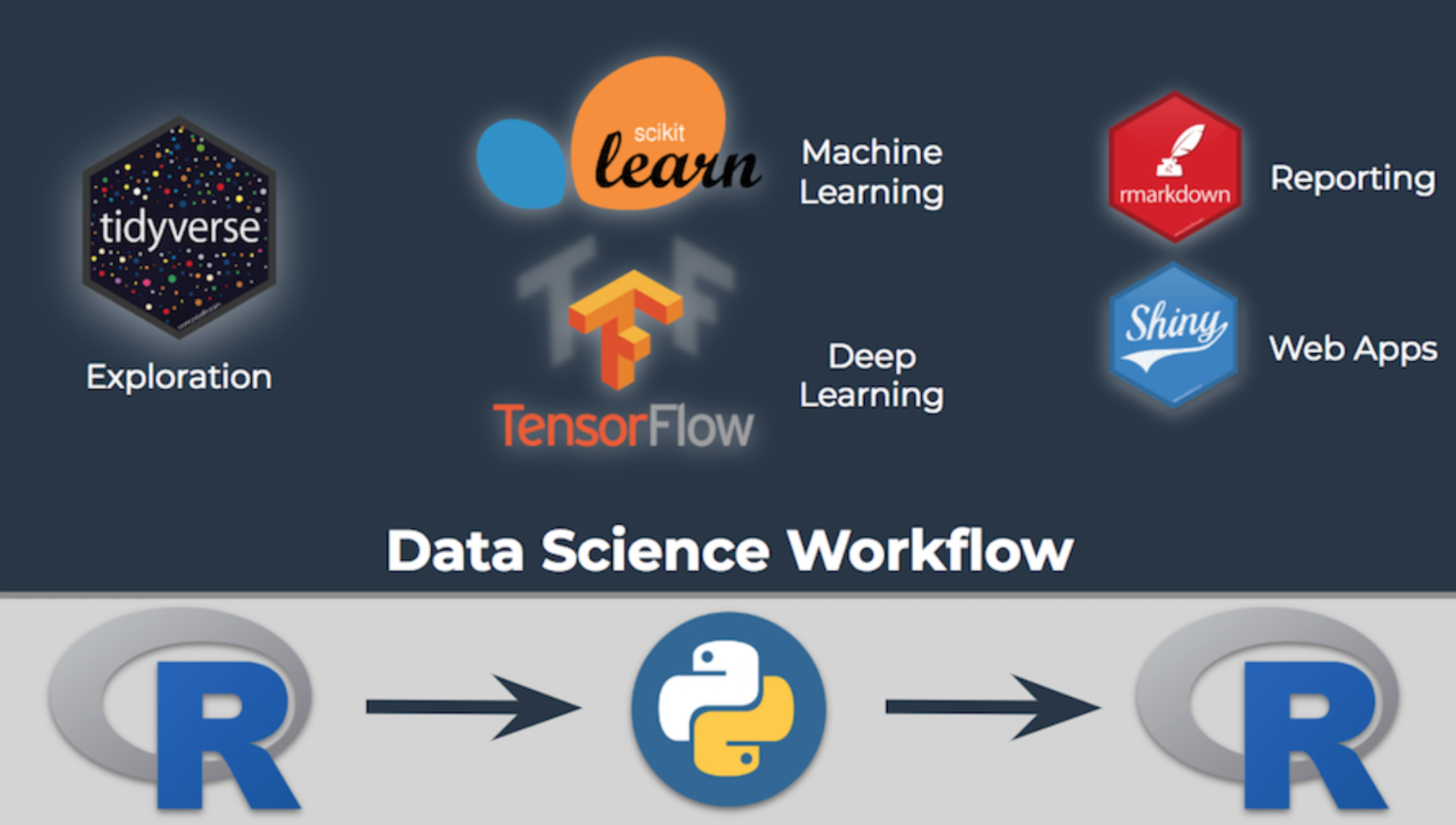
Python?
Yes!
… but … path dependencies of econoemtricians and statisticians
You got to master one of them first … and you will be using both of them in the real world